Zophi Antique Identifier is a free AI app that identifies antiques from photos and estimates value, with a $34.99/year Pro tier. Best used as a research tool.
Free to download: identify any antique instantly with AI. No sign-up.
Identify Now →What Zophi Antique Identifier is and who built it
Zophi Antique Identifier is a mobile app that names antiques and collectibles from a single photo. It runs on both iPhone and Android. On the App Store it appears under the title “Antique Identifier Zophi.”
The Android build carries the package name com.labs326.antique. That points to a developer studio maintaining a small family of visual identification apps. Zophi is its antiques-focused entry.
The promise is plain. You photograph an object. The app returns a likely identification, a short history, and an estimated value range. No hallmark book, no forum wait, no trip to the library.
That convenience explains the numbers. Zophi holds a 4.8-star average across roughly 9,700 App Store ratings in spring 2026. For a niche tool, that review volume signals genuine adoption rather than a handful of friendly notes.
Three kinds of user get the most from it. Estate-sale hunters who need a fast read before bidding. Inheritors clearing a relative’s china cabinet with no catalogue to consult. And weekend collectors who love the hunt but own no reference library.
One clarification belongs up front. Zophi is not a licensed appraisal service. It never routes your piece to a human expert. Every result is generated by software from your photo and from public sales data.
Any seasoned collector knows the difference between a hint and a verdict. Zophi gives hints. A good hint is worth having, yet it carries no signature and no liability behind it.
I have spent two decades reading silver hallmarks and porcelain marks. Tools like this did not exist when I started, so I came to Zophi curious and a little skeptical, and I want to give you an honest account.
The category itself is young. Five years ago, naming an unmarked piece meant a reference shelf and patience. An app that does the same in seconds is a real shift, and it deserves a fair test.
A review is worth more than a star rating here. A 4.8 average tells you people enjoy the app. It does not tell you whether the app is right about your Victorian sugar tongs.
This review walks through the scanning workflow, the full feature set, the pricing structure, and accuracy tested across silver, porcelain, glass, furniture, and coins. For the wider field, our roundup of the best online antique appraisal sites sets useful context before you commit to any single tool.
How Zophi identifies an antique from a photo
Zophi runs on AI image recognition. The app compares your photo against a trained visual model and a database of catalogued objects, then ranks the closest matches.
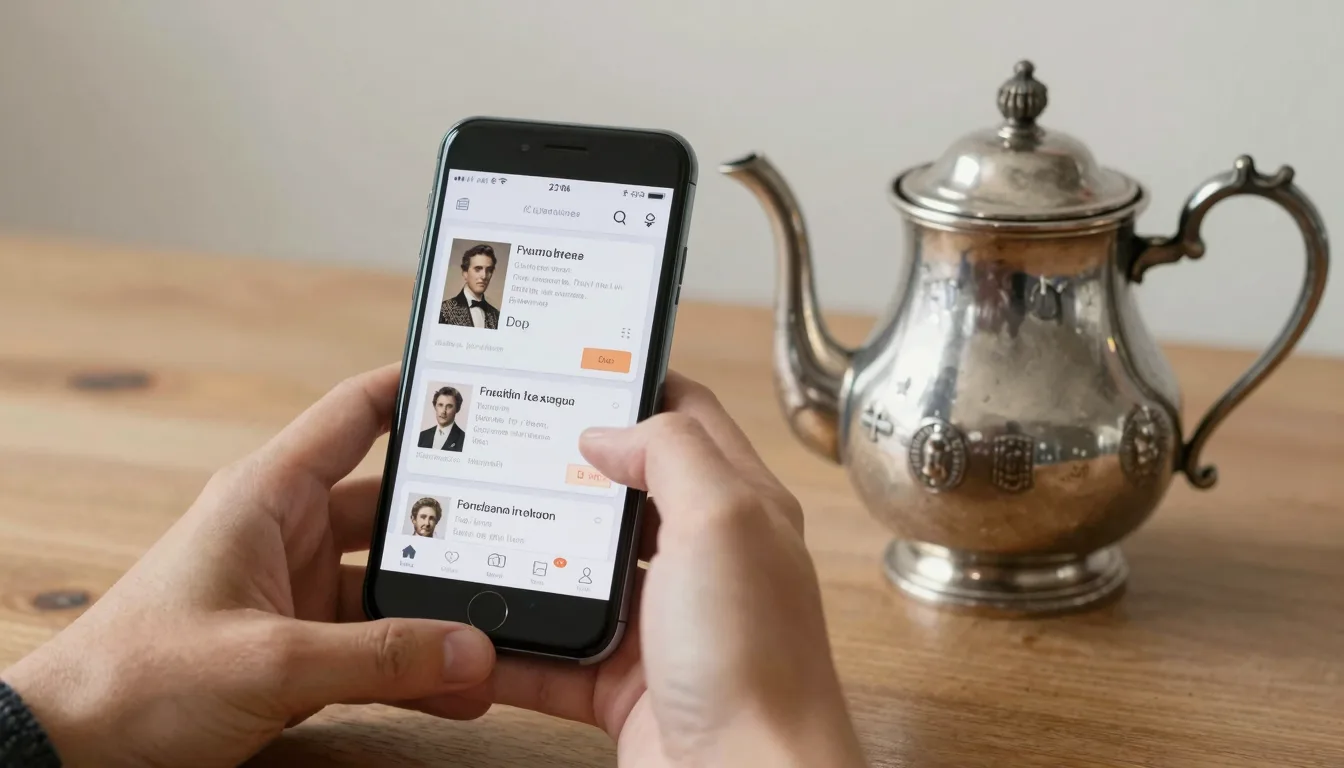
The workflow takes under a minute. Open the camera inside the app. Frame the object. Tap to scan. A result card appears with a name, a category, an era, and a value range.
Photo quality drives everything else. The model reads shape, material, surface, and any visible marks. A sharp, evenly lit image against a plain background beats a dim snapshot every time.
Marks deserve their own shot. If your piece carries a hallmark, a backstamp, or a maker’s signature, photograph that detail separately and in focus. The app handles a clean mark image well.
This is where identification apps earn their keep. A Birmingham anchor, a Meissen crossed-swords mark, a Limoges green underglaze stamp: these are the fingerprints of authentication. Our complete guide to antique marks and signatures explains what each one tells you.
Zophi lets you refine a result. If the first answer looks wrong, you can edit the category or re-scan from a better angle, and the app narrows its guess. That feedback loop beats a single fixed answer.
The history blurb is a pleasant touch. Alongside the identification, Zophi writes a short paragraph on the object type, its period, and its typical use. It reads like a tidy museum label.
Lighting deserves a second mention. Harsh overhead light flattens a surface and hides the very texture the model needs. Soft, indirect daylight near a window gives the truest read.
Background matters as much as light. A patterned tablecloth confuses the edge detection. A plain sheet of paper or a neutral cloth lets the app isolate the object cleanly.
For metal pieces the app attempts a material call. Telling silver from pewter or plate is notoriously hard from a photo alone. Our breakdown of whether there is silver in pewter shows why the composition itself confuses quick reads.
One habit pays off. Photograph the whole object, then the mark, then any damage. Three deliberate images give the model far more to work with than one rushed frame.
Zophi’s features, broken down
Zophi bundles more than a scanner. The feature set leans toward organizing and sharing finds, not only naming them. Here is what you actually receive.
Collections sit at the center. Every scan can be saved, and the app now supports “sets” so you can group items: all your silver in one set, all your glass in another. For anyone cataloguing an estate, that structure matters.
The value estimate is the headline feature. Zophi returns a market range rather than a single figure. The number is built from comparable online listings, so it shifts as the market shifts.
A “set selling price” tool lets you record your own asking price on a saved item. Resellers will recognize the use: a running inventory with your numbers attached to each piece.
Sharing is handled well. Zophi can export an item as a PDF or as a web link. That makes it easy to send a piece to a buyer, a family member, or an insurer.
The Explore feed is the social layer. You can publish a find to a community of other users and browse what they have posted. It turns a solo hobby into something closer to a club.
Market price tracking rounds out the Pro experience. The app watches comparable sales over time, so a saved item’s estimate updates instead of freezing on the day you scanned it.
| Feature | What it does | Tier |
|---|---|---|
| Photo identification | Names an object from one image | Free (limited) |
| Value range estimate | Market range from comparable listings | Pro |
| Collections and sets | Save and group items into categories | Free / Pro |
| Refine and edit results | Correct or re-scan a wrong identification | Free |
| PDF and web-link export | Share an item as a document or URL | Pro |
| Explore community feed | Publish and browse finds from other users | Free |
| Market price tracking | Updates a saved item’s estimate over time | Pro |
| Set selling price | Record your own asking price per item | Pro |
The split is conventional for the category. Identification and basic saving stay free, while valuation, export, and tracking sit behind the subscription.
Offline behavior is worth knowing. Identification needs a connection, since the matching happens server-side. Without signal at a rural estate sale, you can still photograph pieces and scan them later from the saved images.
One feature I wish Zophi pushed harder is mark-by-mark reasoning. The app tells you the result. It rarely shows the chain: which letter, which symbol, which date code led there.
Zophi pricing: the free tier, the trial, and Pro
Zophi is free to download on both the App Store and Google Play. Installation costs nothing, and you can begin scanning without paying immediately.
The free tier is deliberately limited. You get a taste of identification and basic saving, while the outputs collectors care about (value ranges, exports, tracking) are gated behind Pro.
A trial period bridges the gap. New users get a window to test Pro features before any charge lands. Read the trial terms inside the app, because trials convert to paid plans automatically.
Pro costs $34.99 for one year. That works out to roughly $2.92 a month, billed annually rather than month by month.
Measured against the category, that price is moderate. Many rival identifier apps push weekly subscriptions that quietly cost far more across twelve months. An honest annual figure is easier to judge.
| Plan | Price | Best for |
|---|---|---|
| Free download | $0 | Trying identification, casual one-off scans |
| Trial period | $0 during the trial window | Testing Pro features before committing |
| Pro (annual) | $34.99 per year | Active collectors, resellers, estate cataloguing |
Is the Pro fee worth it? For a one-time user clearing a single cabinet, the trial alone may be enough. Run your scans, export your PDFs, then decide before the window closes.
For an active collector the math changes. One avoided mistake at an estate sale (one $34.99 plate that was really worth $8) pays the yearly fee outright.
There is a quieter cost too, and that cost is time. A subscription you forget about drains money every year for a tool you stopped opening. Set a calendar reminder a week before renewal.
Weigh the Pro tier against what you would otherwise spend. A single printed price-guide book runs more than $34.99, and it ages the moment it leaves the press. An app that tracks live listings holds a genuine edge there.
A note on appraisals. The Pro subscription does not buy you a certified valuation. For insurance or probate you still need a human appraiser. Our overview of digital antique valuation tools and resources explains where apps stop and professionals begin.
Always cancel an unwanted trial through your phone’s subscription settings, not inside the app. That holds for every subscription app, and it prevents the surprise renewal that catches casual users.
Not sure what you’ve got?
Snap a photo and let our AI identify any antique in seconds. Free to download, no sign-up.
Identify on iPhone →Learn MoreHow accurate is Zophi? Tested across five categories
Accuracy is the only question that finally matters for an identification app. I tested Zophi across five categories, scanning pieces whose identity I already knew.
Marked silver performed best. A Gorham sterling spoon with a clear lion-anchor-G mark was named correctly, with a sensible period and a value range close to recent comparable sales.
The reason is structural. Silver carries standardized hallmarks. When the app can read a sharp mark, it has a near-unambiguous data point to match. Our guide to what 10k, 14k, and 18k gold hallmarks really mean shows how precise a stamped mark can be.
Porcelain came a close second. A Limoges blank with a green underglaze mark and a red overglaze decorator’s mark was identified to maker and rough era. The app correctly separated the factory from the decorating studio.
Glass was mixed. Pressed and Depression-era glass with recognizable patterns scored well. Unmarked art glass, where attribution rests on pontil, color, and weight, produced vaguer guesses.
Furniture was the weakest category. A photograph cannot feel a drawer’s dovetails or the heft of old oak. Zophi read style and era broadly but could not separate a period piece from a convincing reproduction.
Coins were variable. Common dated coins were named cleanly. Worn or unusual pieces drew uncertain answers, which is fair, since numismatics rewards the magnification a phone camera rarely captures.
| Category | Typical accuracy | Why |
|---|---|---|
| Marked silver | High | Standardized hallmarks give a clear match |
| Porcelain with backstamp | High | Factory marks are well documented |
| Patterned glass | Moderate | Strong on named patterns, weak on unmarked art glass |
| Furniture | Lower | Photos miss joinery, weight, and patina |
| Coins | Variable | Wear and fine detail need magnification |
One pattern held throughout the testing. Zophi is strong wherever a maker left a documented mark and weaker wherever identification depends on touch, weight, or construction.
Lighting and angle changed results more than I expected. The same Gorham spoon, shot in shadow, once returned a vague “silver flatware” answer. A brighter second frame fixed it. Re-scanning is not a failure; it is the method.
The valuations deserve their own caution. Zophi’s figures come from comparable online listings, not from sold prices and not from a physical inspection. For real sold data, cross-check sites like WorthPoint and Kovel’s.
To calibrate any app’s value range, compare its answer against documented museum examples. Collections at the Smithsonian and the Metropolitan Museum of Art help you sanity-check period and type.
Where Zophi falls short
No identification app replaces a trained eye. Zophi is useful, yet an honest review has to name its limits clearly.
The first limit is structural. The app sees a photograph. It cannot weigh a piece, tap it for tone, feel a glaze, or test a metal. Half of real authentication is tactile.
Valuations are the second concern. A market range built from active listings reflects what sellers hope to get, not what buyers paid. The two numbers often diverge sharply.
Comparable sold prices tell the truer story. When a value matters, for a sale, a family split, or insurance, verify it against sold records rather than asking prices.
Reproductions are the third weakness. A skilled fake is built to fool a glance, and a photo is only a glance. Zophi can be confidently wrong about a clever copy.
Confidence is its own trap. The app rarely hedges. A result card looks equally certain whether the match is strong or a stretch, and that polish can lull a new collector into trusting a weak guess.
Rare and regional pieces are a blind spot. The model leans on what is well documented online. A common Victorian creamer scans well; an obscure provincial silversmith far less so.
Edge cases compound the problem. A piece that is damaged, heavily polished, or unusually lit drifts toward generic answers. The app does its best, yet it will not warn you how thin the ice is.
The history blurbs, while pleasant, stay general. They describe the object type well but rarely the specific piece in your hand. Do not mistake a tidy paragraph for documented provenance.
There is also the subscription reality. A trial converts to a paid year unless you cancel. That is standard practice, yet it catches casual users who installed the app for one question.
None of this makes Zophi a poor tool. It makes it a first-pass tool. The danger lies in treating a confident screen as a final answer when the stakes are real.
For high-value silver especially, the decision to sell or hold should rest on more than an app estimate. Our piece on silver melt value versus antique value walks through that judgment in detail.
Zophi versus other antique apps, and the verdict
Zophi competes in a crowded field. A dozen antique identifier apps now promise the same photo-to-answer trick. They differ mostly in pricing honesty and interface polish.
Zophi’s strengths are clear. The interface is clean. The collection and set tools are genuinely useful. The annual price is stated plainly, which is rarer in this category than it should be.
Its weaknesses are the category’s weaknesses. Photo-only identification, listing-based valuations, and no human in the loop. Every rival shares those same ceilings.
| Factor | Zophi | Typical rival app |
|---|---|---|
| Pricing model | $34.99 per year, stated upfront | Often weekly billing, higher annual cost |
| Identification | Photo-based AI, with a refine option | Photo-based AI, quality varies |
| Collection tools | Sets, export, selling price | Often basic saving only |
| Community feed | Yes, the Explore feed | Rare |
| Human appraisal | None | None |
How do you choose? For a one-time answer, almost any free trial will do the job. For an organized, ongoing catalogue, Zophi’s set and tracking tools pull ahead of the pack.
Switching cost is low, which works in your favor. Most of these apps are free to install and free to trial. Nothing stops you running the same teacup through two or three and comparing the spread of answers.
Watch the billing model above all else. An app that bills $4.99 weekly costs more than $250 across a year. Zophi’s flat $34.99 annual fee sits, in plain terms, at the honest end of this market.
My verdict. Zophi is a solid, fairly priced research tool. It earns its 4.8-star reputation for usability. It does not earn the title of appraiser, and to its credit it does not pretend to.
Use it the way I use it. Scan to get a direction. Save and organize your finds. Then verify anything that matters against sold data, and for real value, put the piece in front of a human expert.
For collectors who also want a free starting point with strong hallmark and maker-mark reading, the Antique Identifier App is worth installing alongside it. Comparing two reads on the same object is the cheapest second opinion a collector will ever get.
Frequently Asked Questions
Which app can identify antiques from a photo?
Antique Identifier App is the app made by the publisher of this site. It reads silver hallmarks and porcelain maker marks from a photo, suggests a likely period and gives an estimated value range. It is free to download on iPhone and Android. Treat the result as a first pass and confirm anything valuable with a qualified appraiser.
Is Zophi Antique Identifier free to use?
Zophi Antique Identifier is free to download on both the App Store and Google Play, and the free tier lets you try photo identification and basic saving. The features collectors value most (value-range estimates, PDF and web-link export, and market price tracking) sit behind the Pro subscription. Pro costs $34.99 for one year, which is about $2.92 a month billed annually. New users get a trial period to test Pro before any charge lands. If you only need to answer one question, the free tier or the trial may be enough. Remember that a trial converts to a paid year automatically unless you cancel it in your phone’s subscription settings.
How accurate is Zophi at identifying antiques?
Zophi is most accurate when an object carries a clear maker’s mark. In testing, marked sterling silver and backstamped porcelain were identified correctly, with sensible periods and value ranges close to comparable listings. Standardized hallmarks give the AI an unambiguous data point to match. Accuracy drops with furniture and unmarked art glass, where identification depends on joinery, weight, and patina that a photograph cannot capture. Coins are variable, since wear and fine detail need magnification. The honest summary is that Zophi is strong wherever a maker left a documented mark and weaker wherever a trained hand would do the work. Always photograph any hallmark or backstamp in sharp focus, because that single detail decides most of the result.
Does Zophi give a real appraisal value?
No. Zophi does not provide a certified appraisal. Its value figures are generated by AI from your photos and from publicly available online listings, and the app presents them as market ranges based on comparable sales. Those ranges reflect what sellers are asking, which often differs from what buyers pay. For a truer picture, cross-check sold prices on research sites such as WorthPoint and Kovel’s. For insurance, estate, or probate purposes, you still need a licensed human appraiser who can physically inspect the piece. Treat any app valuation, Zophi’s included, as a research signal that points you in the right direction rather than a final, defensible number for a document.
Is Zophi Antique Identifier available on Android?
Yes. Zophi Antique Identifier is available on both iPhone and Android. The iOS version appears on the App Store as “Antique Identifier Zophi.” The Android version is on Google Play under the package name com.labs326.antique. Both builds share the same core workflow: photograph an object, then receive an identification, a short history, and a value range. The feature set (collections, sets, the Explore community feed, PDF export, and market price tracking) carries across both platforms. Pricing is the same $34.99 annual Pro plan, though Apple and Google process the billing separately through their own stores. If you switch phones across platforms, check whether your subscription transfers, since store purchases do not always carry over.
Should I use Zophi or hire a professional appraiser?
Use both, at different stages. Zophi is excellent for a fast first pass: sorting a cabinet, deciding what deserves a closer look, or getting a direction at an estate sale before you bid. It costs little and works in seconds. A professional appraiser becomes necessary once real money is involved: selling a valuable piece, settling an estate, insuring a collection, or splitting inherited items fairly. A human can weigh an object, test a metal, read joinery, and produce a signed document that an app cannot. The sensible workflow is to let Zophi narrow the field, then pay an expert to confirm the few pieces that genuinely matter.
Identify any antique in seconds.
From silver hallmarks to porcelain maker marks, the app suggests the item type, period and a value range.